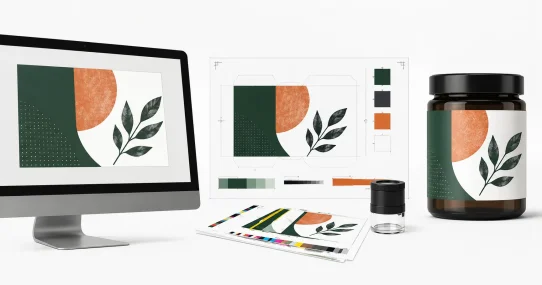


Vector and PDF exports were evaluated primarily in Inkscape 1.4.4, an open-source vector editor. Findings describe how the exported files parsed in that environment. Where a finding could materially depend on the rendering engine, this is noted with the observation.
What Canva promises on the free tier
Canva markets logo generation as available on every plan. The free tier at zero cost grants access to Magic Studio, Dream Lab, the editor, most templates and a range of export formats. Nothing on the pricing page flags logos as a paid feature.
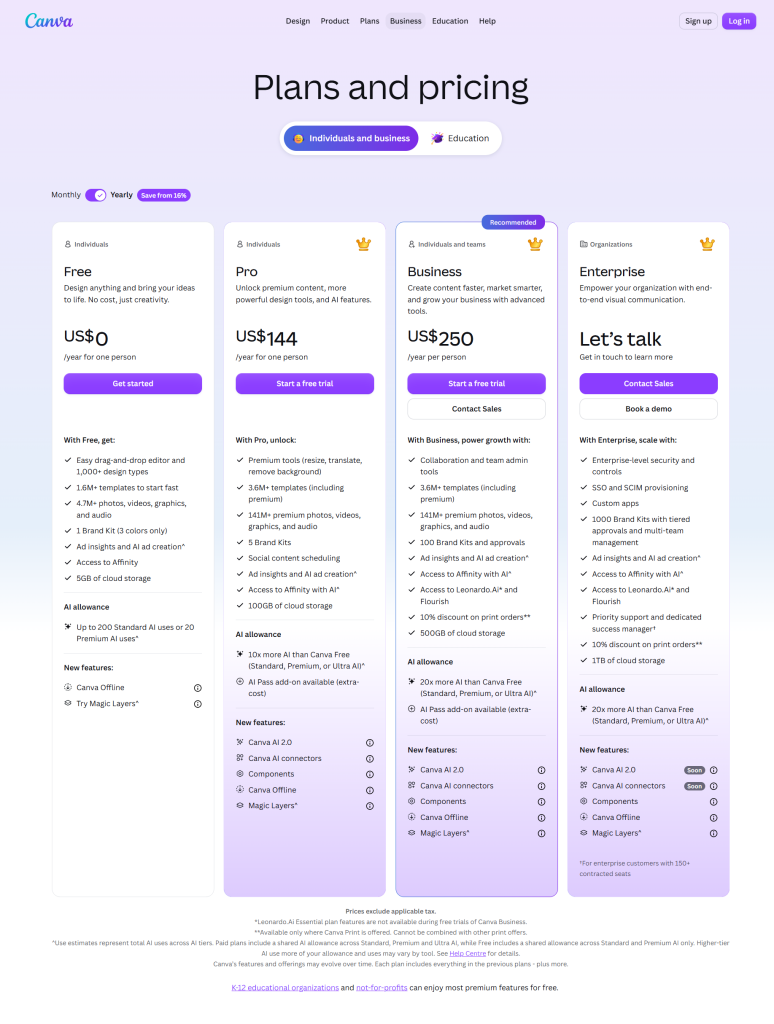
Figure 1 · Canva pricing page. Free tier grants logo generation access with no logo-specific paywall visible.
The AI Product Terms grant output ownership for any lawful purpose regardless of tier. Canva’s AI Product Terms also require Content Credentials (C2PA metadata) to be preserved where they are present. Users relying on AI-generated assets for commercial work should avoid intentionally removing this metadata.
Everything about the free tier reads as accessible until the export dialog opens. The paywalls exist. They surface at the file stage, not the generation stage. A brand that judges the tool by the browser preview will judge it wrong.
How Canva AI handles a real packaging brief
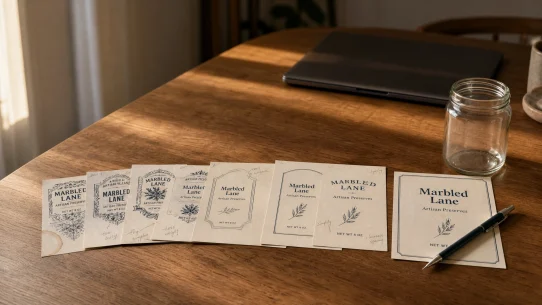
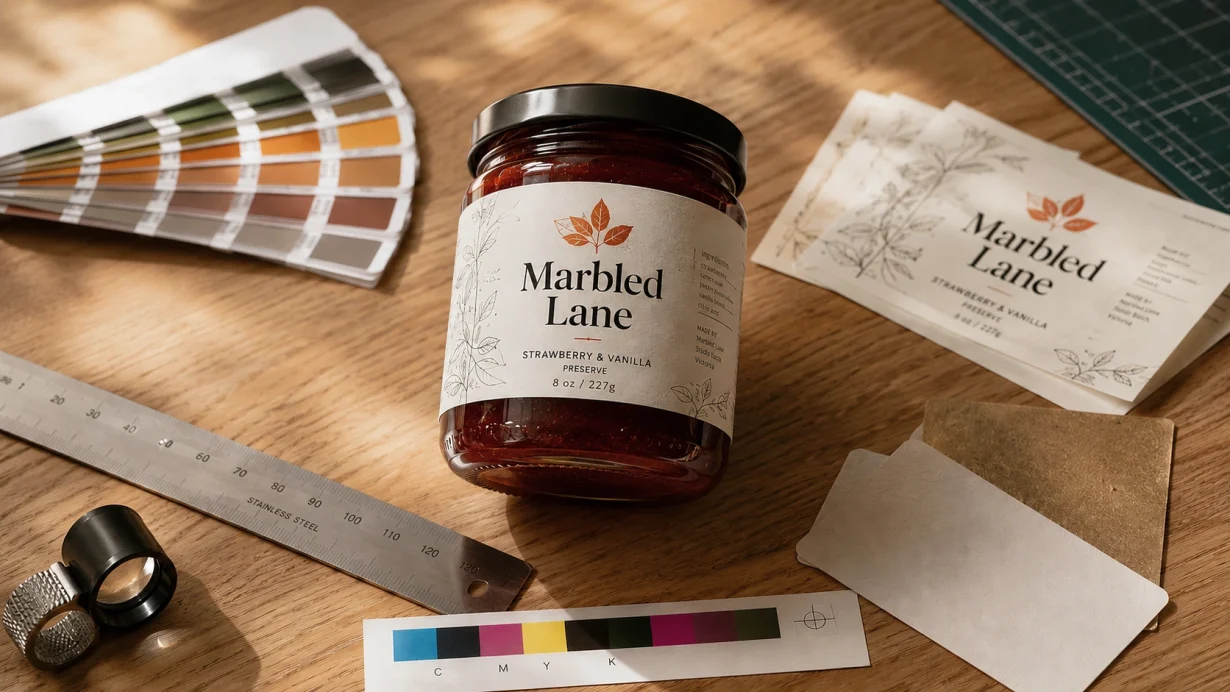
Marbled Lane is the brief we tested. The Compressed Testing Prompt was pasted into Canva’s Dream Lab interface unchanged. Same prompt runs across every AI tool Label & Bind reviews.
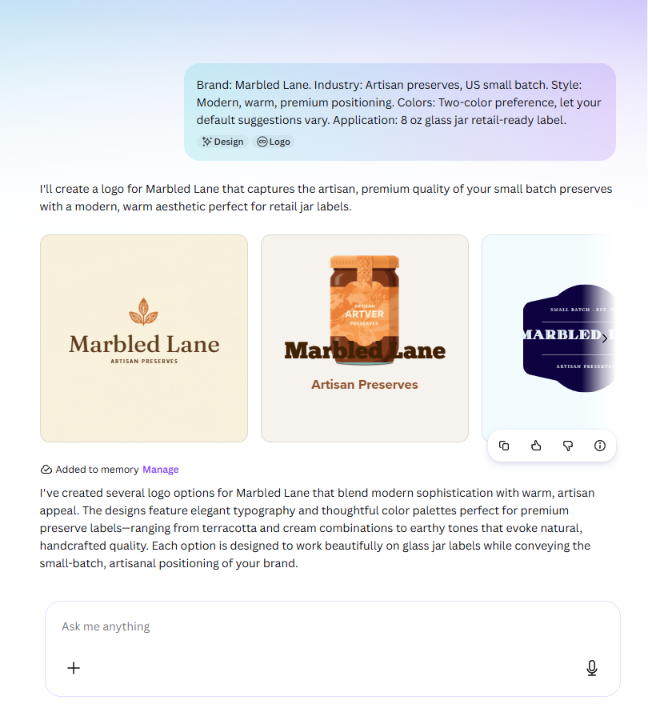
Figure 2 · Four generated logo concepts displayed in the Canva editor. Wordmark rendered as intended in three of four, leaf iconography across all four, warm palette across the set.
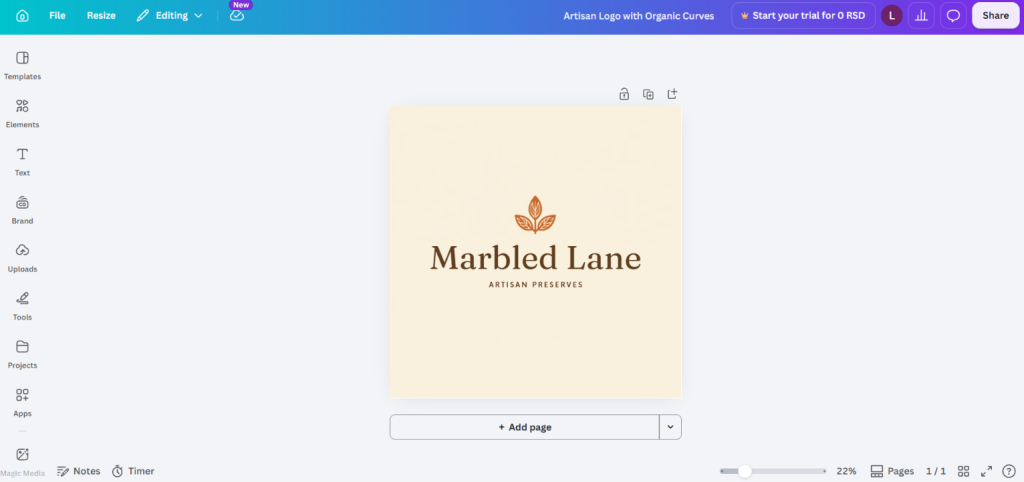
Figure 3 · Canva editor with the generated logo open. Layers panel visible. Fonts, colours, elements all editable on the free tier.
Design Quality signal at this section: Packaging suitability PASS. Typography fidelity PASS. Small-size readability PARTIAL.
The thumbnail test
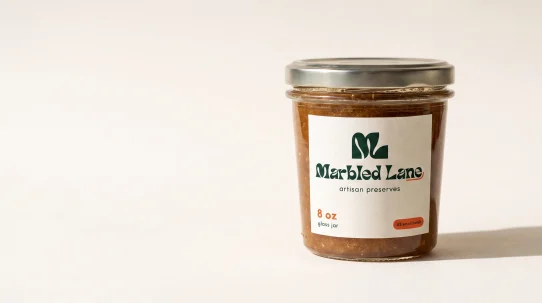
Every AI Tool review at Label & Bind runs the same physical test. The generated logo is zoomed inside the editor until it measures 25 to 30 millimetres wide on the monitor, with a physical ruler held to the screen. Real jam jar labels sit between 60 and 90 millimetres wide. Smaller cosmetic sample sizes drop to 20 to 30 millimetres. The Thumbnail Test measures whether a logo built at hero size still reads at label scale.
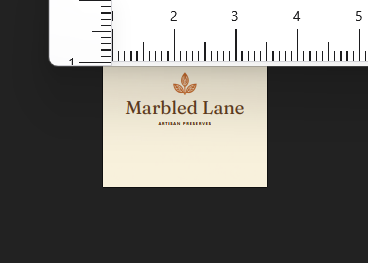
Figure 4 · Logo displayed at measured 30mm width. Leaf holds up. Wordmark sits at edge of legibility due to fine serif detail.
Where the free tier hits its walls
Every finding in this section came from opening the file outside Canva. Three failures compound.
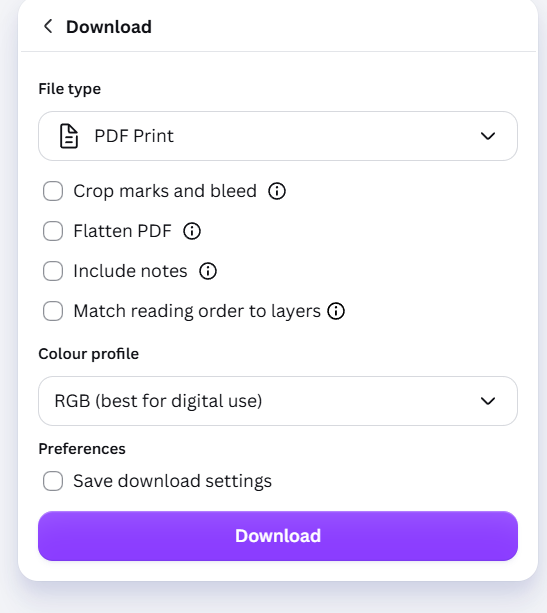
Figure 5 · Canva PDF Print export panel on the free tier. Colour profile locked to RGB. CMYK requires Pro upgrade.
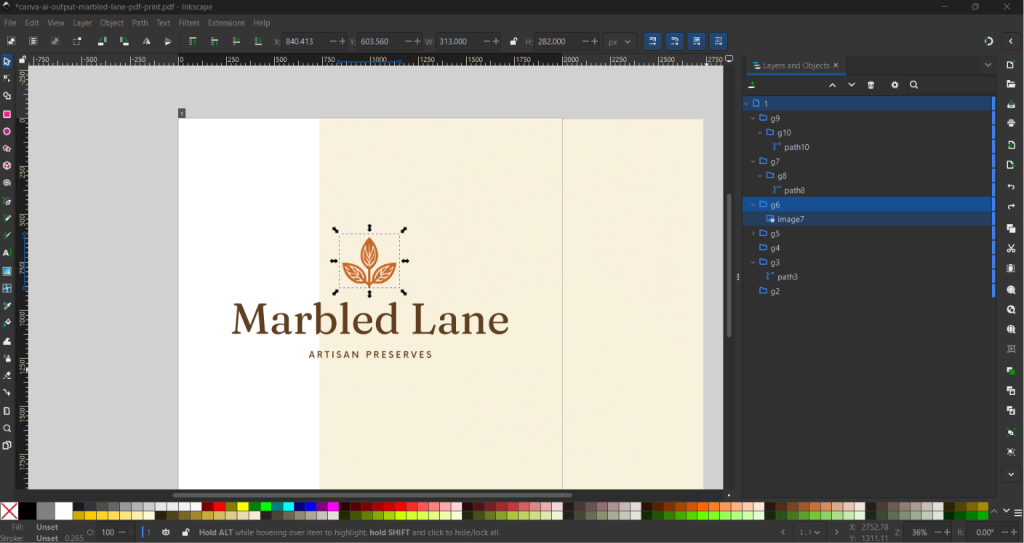
Figure 6 · Inkscape Layers and Objects panel on the exported PNG. Opaque white background layer identified as image5 sits beneath every logo element.
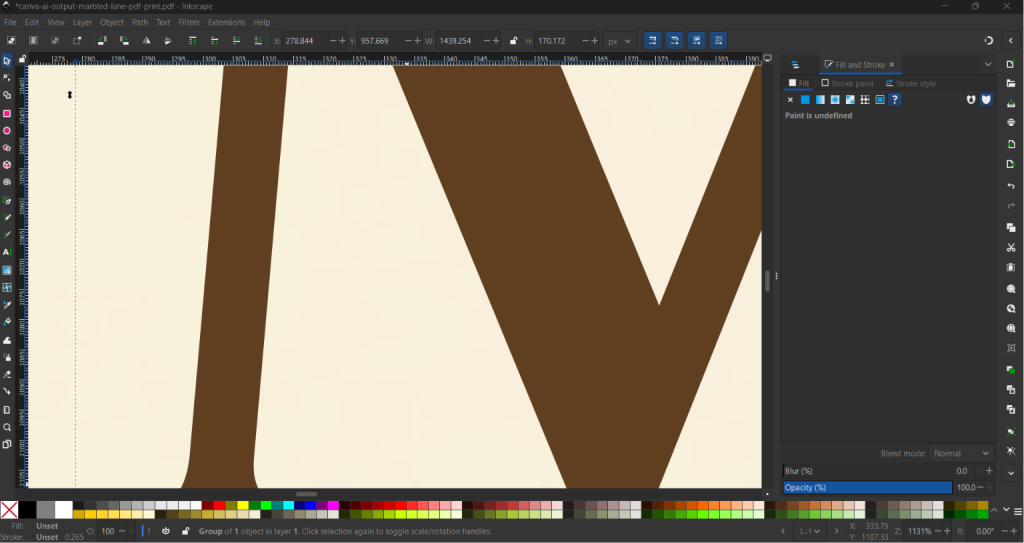
Figure 7a · Inkscape zoom to 1131% on the Marbled Lane wordmark. Vector edges hold crisp definition.
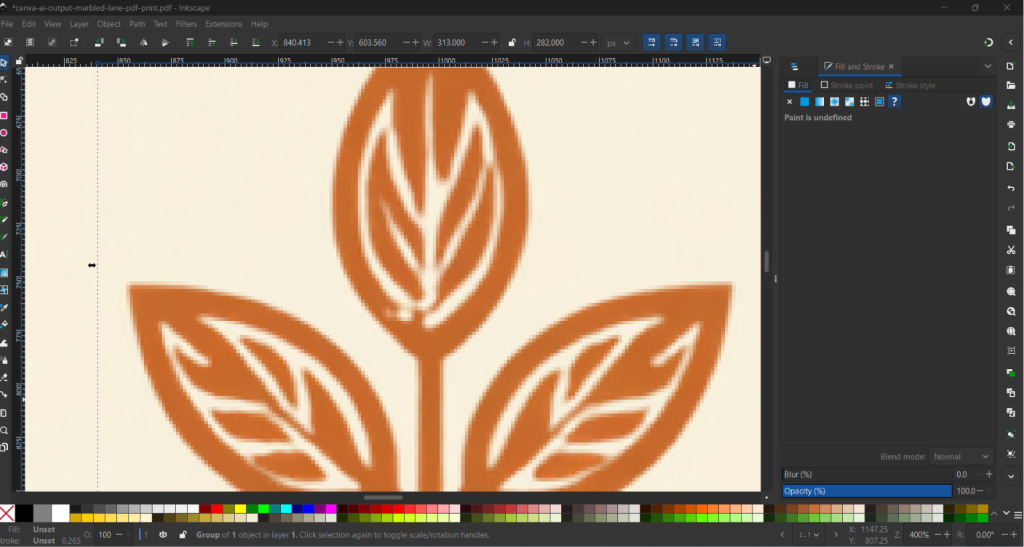
Figure 7b · Inkscape zoom to 1131% on the leaf iconography. Raster pixelation exposed. Document Properties identifies the leaf as image7.
Production Readiness signal at this section: Vector export quality PARTIAL. RGB to CMYK workflow FAIL. Transparency handling FAIL. Print readiness FAIL.
The gap between browser and file
Every failure documented above is invisible inside Canva. The browser editor renders the logo at high fidelity. The Canva preview shows correct colour. The download button offers PDF Print, which reads as the professional option. A brand judging the tool by what they see inside the interface has no signal that CMYK is missing, that the background is opaque, or that the leaf is a raster image sitting inside a vector container.
The failures only appear when the file leaves Canva and enters a tool that inspects it. Inkscape shows the RGB colour profile. The Layers panel exposes image5 and image7. The zoom test surfaces the raster iconography. None of this is hidden by Canva deliberately. It is hidden by the interface being a design tool, not a file inspector.
The Production Reality Check
The ten points below make up the Production Reality Check, the framework Label & Bind applies to every AI tool review. Three points measure design quality. Four measure production readiness. Three measure business practicality. Every point receives Pass, Partial or Fail after testing.
Tested against ten production criteria
| # | Criterion | Category | Rating |
|---|---|---|---|
| 1 | Packaging suitability | Design Quality | ✓ PASS |
| 2 | Typography fidelity | Design Quality | ✓ PASS |
| 3 | Small-size readability | Design Quality | ◐ PARTIAL |
| 4 | Vector export quality | Production Readiness | ◐ PARTIAL |
| 5 | RGB to CMYK workflow | Production Readiness | ✕ FAIL |
| 6 | Transparency handling | Production Readiness | ✕ FAIL |
| 7 | Print readiness | Production Readiness | ✕ FAIL |
| 8 | Editing flexibility | Business Practicality | ✓ PASS |
| 9 | Commercial licensing | Business Practicality | ✓ PASS |
| 10 | Operational recommendation | Business Practicality | ◐ PARTIAL |
Commercial licensing (point 9) resolves cleanly. Canva’s AI Product Terms grant output ownership for any lawful purpose regardless of subscription tier. A brand using the free tier for commercial use is inside the vendor’s terms. The commercial risk is not licensing. It is the file itself.
Free tier vs Pro: what upgrading actually changes
Canva Pro was priced at approximately $15 per month or $120 per year on the testing day. Verify current pricing at Canva’s pricing page before deciding. For the same $15 per month, Kittl takes a template-led approach to the same problem, tested against the same brief.
What Pro unlocks in the context of this review: CMYK PDF Print export, transparent backgrounds on PNG downloads, SVG export as a native format. All three are the production-readiness failures documented above. Pro converts three FAILs into functional workflows. Vector integrity of complex outputs remains a case-by-case observation across tiers because the mixed structure is a property of Canva’s generation, not the export tier.
The upgrade decision depends on how many logo iterations a brand runs per year. Founders redesigning quarterly benefit from Pro. Founders locking in a logo once and moving on may find a one-off Pro month covers the exports needed for that project at $15 total.
Neither option is the only path. The next section covers the third: sending the file to a commercial label printer whose prepress team routinely handles imperfect customer artwork.
Should you use Canva AI free?
Everything above documents what Canva Free exports. The decision underneath depends on something the export dialog cannot tell you: what happens on the printer’s end when the file arrives.
In commercial label production, files that arrive at printers are often not fully production-ready. Missing vector artwork, RGB colour profiles, low-resolution logos, incomplete print specifications and files exported without bleed are common patterns. This is true regardless of whether the file came from Canva, Adobe Illustrator or a professional design agency. Small brands rarely arrive with press-ready artwork because press-ready artwork is a specialist skill, not a founder skill.
Most professional commercial label printers absorb this. Prepress departments routinely vectorize logos, convert artwork to CMYK, adjust bleed, rebuild print files and prepare artwork so it meets commercial label production requirements. For many small brands this is entirely normal and often part of the service. Only larger brands with strict brand guidelines, standardized colour management and established production workflows are typically expected to supply fully production-ready artwork from the outset.
The growth of modern online design platforms has noticeably improved the quality of files arriving from customers. Even when Canva Free cannot export an ideal production file, the remaining prepress work is often limited to specific tasks: vectorizing one logo, converting colours to CMYK, or making small adjustments to bleed and dimensions.
Where the practical limitation appears is when the entire design, logo and all graphic elements together, exports as raster artwork. At that point the prepress work stops being adjustment and starts being reconstruction. Many printers either charge additional prepress fees or decline the work altogether because recreating the artwork is time-consuming and prone to colour and detail drift.
That is the practical boundary. Not “Canva Free is unfit for packaging.” Rather: Canva Free is a capable starting point for many growing brands when the logo elements are workable and the printer offers prepress support. It becomes a problem when the whole file needs rebuilding.
The real production cost is rarely the software or the file itself. It is the amount of prepress work required before the presses can start.
- ✓The output is for social media, ads or web assets where RGB is standard
- ✓The logo is for early brand exploration and iteration
- ✓The deliverable is a packaging mockup for an investor deck or brand board
- ✓Your commercial label printer offers prepress support and the design’s logo elements are workable
- ✓You are ordering small runs where prepress fees do not dominate the cost
- ✕Your printer requires fully press-ready artwork from the client
- ✕The entire design, including background and iconography, exports as raster and needs a full rebuild
- ✕You are ordering large volumes where prepress fees compound across the job
- ✕Brand consistency across multiple SKUs and print runs is business-critical
For brands still working out where AI belongs in the label production workflow, our earlier article on where AI-designed labels break down before print sits alongside this one as broader context.
Canva free tier · $0 · Dream Lab model
Marbled Lane locked brief · Compressed Testing Prompt applied unchanged
Inkscape 1.4.4 · primary renderer for all file inspection
Chrome 149.0.7827.199 · Windows 11 Home Single Language 25H2
Testing dates 27 to 29 June 2026
Canva Terms of Service and AI Product Terms reviewed 26 June 2026, unchanged on testing day
Frequently asked questions
Can I use Canva AI logos commercially on the free tier?
Yes. Canva’s AI Product Terms grant output ownership for any lawful purpose regardless of subscription tier. Commercial licensing is not the free-tier limitation. The file format is.
Do I need to keep the AI credentials Canva attaches to my logo?
Canva’s AI Product Terms and the underlying C2PA specification require Content Credentials to be preserved where they are present. Many common production workflows preserve embedded metadata by default, although workflows differ. Users of AI-generated commercial artwork should avoid intentionally removing Content Credentials where vendor terms require them.
Does the free tier export true vector files?
Partial. Text elements export as vector paths. Iconography and background elements often export as raster images embedded inside a PDF or SVG wrapper. Finding based on Inkscape 1.4.4 testing. Different vector editors may parse the same file differently.
Why does the CMYK option appear in the export dropdown if I cannot select it?
Canva shows the full feature set to every user and gates access at click time. The CMYK entry is visible so that users understand what upgrading unlocks. Free-tier users see the option, click it, and land on a Pro upgrade prompt.
Can a commercial printer prepare Canva Free files for label printing?
Often yes. Many commercial label printers and packaging converters offer prepress services as part of the job. Common corrections include converting RGB files to CMYK, adjusting bleed and trim, and vectorizing a logo where the export is raster. Where the entire design including background and iconography exports as raster artwork, the prepress work becomes a full rebuild, which many printers either charge separately for or decline. Requirements and pricing vary between printers. Ask before assuming prepress is included in the quote.
Can I get a transparent background by editing the exported PNG afterwards?
Only with a separate background-removal tool or by paying for Canva’s Background Remover, which is also a Pro feature. The paywall repeats in a different form. Downstream editing works but adds a step and a second tool.
Does Canva Pro solve every issue in this review?
Pro solves the three production-readiness failures: CMYK, transparency and native SVG. Vector integrity of complex outputs remains a case-by-case observation because file structure is decided by the AI generation, not the export tier. Simple text-based logos export cleaner than logos with detailed iconography across both tiers.
Should I hire a designer instead?
For a final production logo, yes. A designer at $200 to $500 delivers vector, CMYK, transparency and file structure a printer accepts without preparation, plus brand direction and revisions. For early exploration, Canva AI free tier is fit for that stage.
How does this review handle findings that depend on which vector editor you use?
Findings that vary by renderer are flagged with a Testing Note and confidence level. In this review, the mixed vector and raster structure is Medium confidence based on Inkscape 1.4.4. Other file-property findings do not vary by renderer.