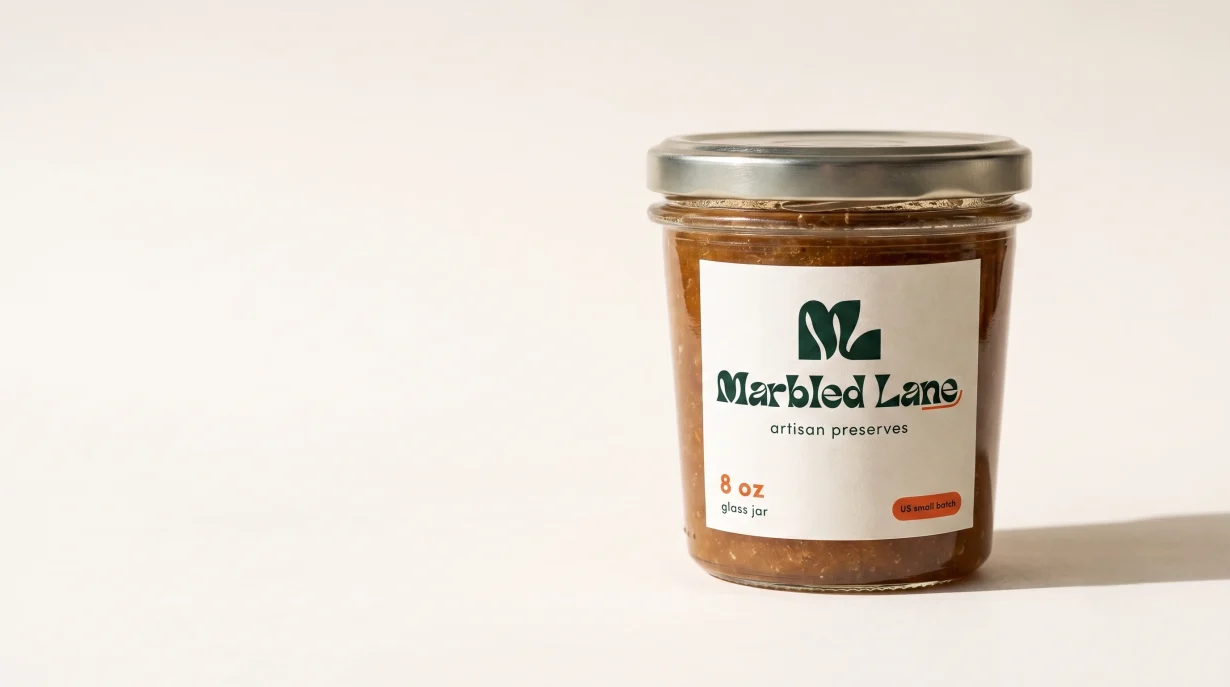

What This Covers
Recraft AI (recraft.ai), tested at the paid Basic tier of $12 per month. Model version Recraft V4.1 Vector. Testing dates 15, 16 and 17 July 2026. Same brief we used in Article 8: Marbled Lane, small US preserves brand, artisan preserves label, print-ready output.
Who This Is For
Growing food and product brands preparing labels for commercial print who want to know if AI-generated artwork can reach a supplier without hours of cleanup.
Core Finding
At the $12 Basic tier, Recraft delivers a real SVG, a real 300 ppi CMYK TIFF, and an alpha-channel transparent PNG. Files a commercial printer can process. One caveat lives inside the CMYK file. One editing action needs handling with care.
Bottom Line
For a small brand doing static labels, Recraft Basic is the first AI tool we have tested that produces files a printer can actually use.
Scope of Review
Label & Bind evaluates AI tools only in the context of packaging label production. Features unrelated to creating, editing, exporting or preparing packaging artwork for commercial print are outside the scope of this review. Recraft includes illustration, mockups, animation, social media graphics and other creative surfaces. Those are documented elsewhere.
1. Can Recraft create a label that looks professional?
We tested Recraft using the Marbled Lane packaging label brief in Direct mode at Basic tier. Small US preserves brand. Handmade preserves label. Monochrome ML monogram. Artisan positioning. Cream and forest green palette. Print-ready.
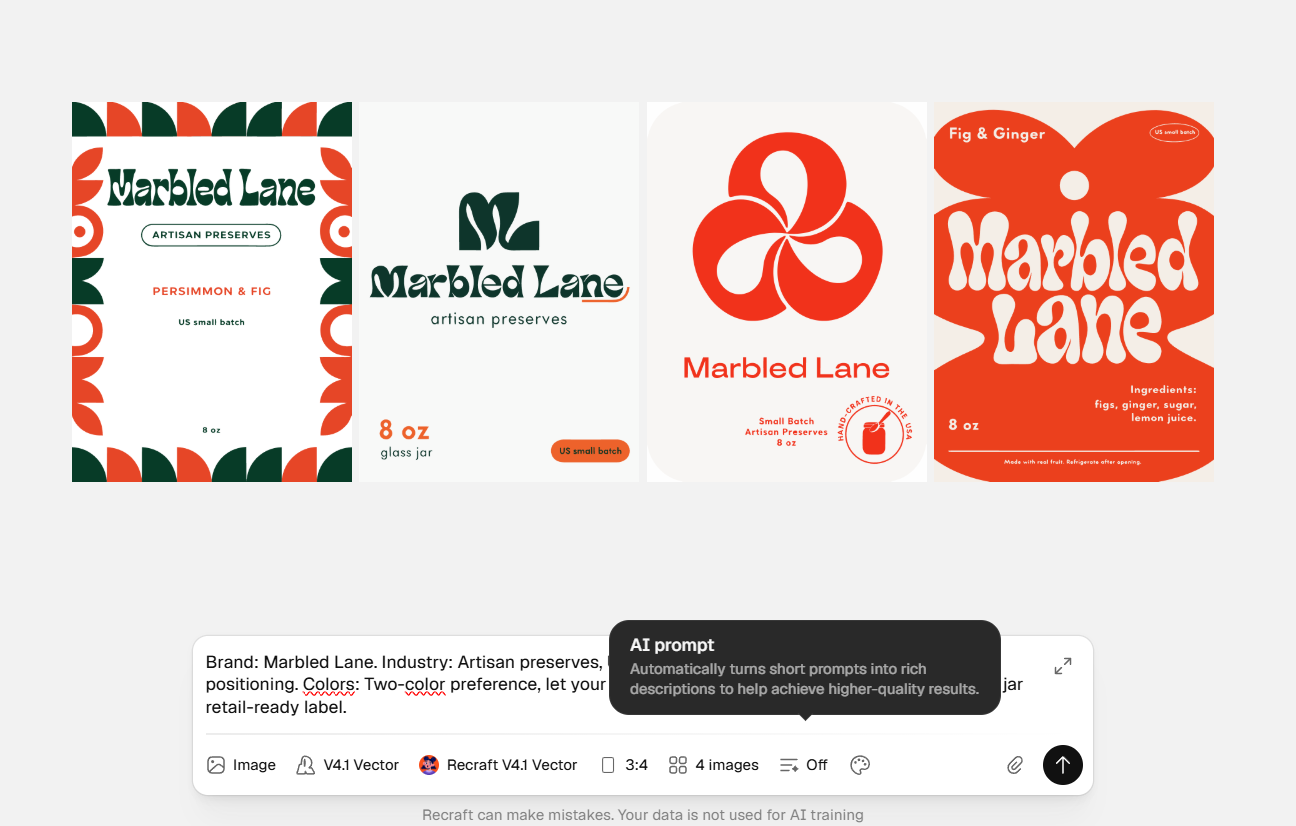
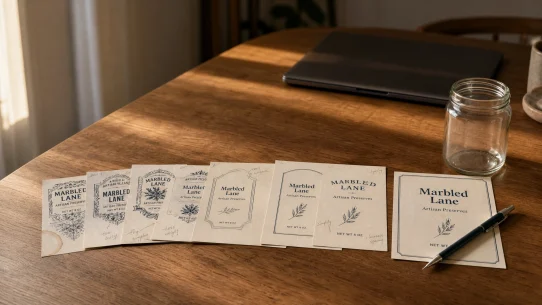
Figure 1Direct mode. Four distinct compositions from a single generation. Not four variations of one badge.
Recraft returned four distinct compositions from a single generation. Not four variations of one badge. Four different design directions. The output selected for the file tests carried a clean central monogram, wordmark set below, a small tagline in a pill shape, and a volume marker. Design elements sit in vector-appropriate positions with white space that reads at label scale. Text hierarchy holds. Color palette matched the brief.
For a food brand looking at this as ideation, the design is production-appropriate on first pass. It looks like something an experienced designer might sketch. That is a rare starting point for AI-generated packaging work.
The generation ran in Direct mode with Prompt Enhancement set to Off. Recraft offers two generation surfaces: a conversational AI Chat panel (the default), and Direct mode (an input field with format controls). Direct mode is where operators with a defined brief will spend their time.
Not covered here: Recraft’s mockup generator, illustration templates, marketing graphic tools, or animation output. Outside the scope of a packaging label review.
2. Can a printer actually use the files?
A design that looks good on screen is not the same as a design that reaches a printer as a usable file. We tested four things: the SVG, the CMYK TIFF, the transparent PNG, and how the design holds at physical label size.
The SVG
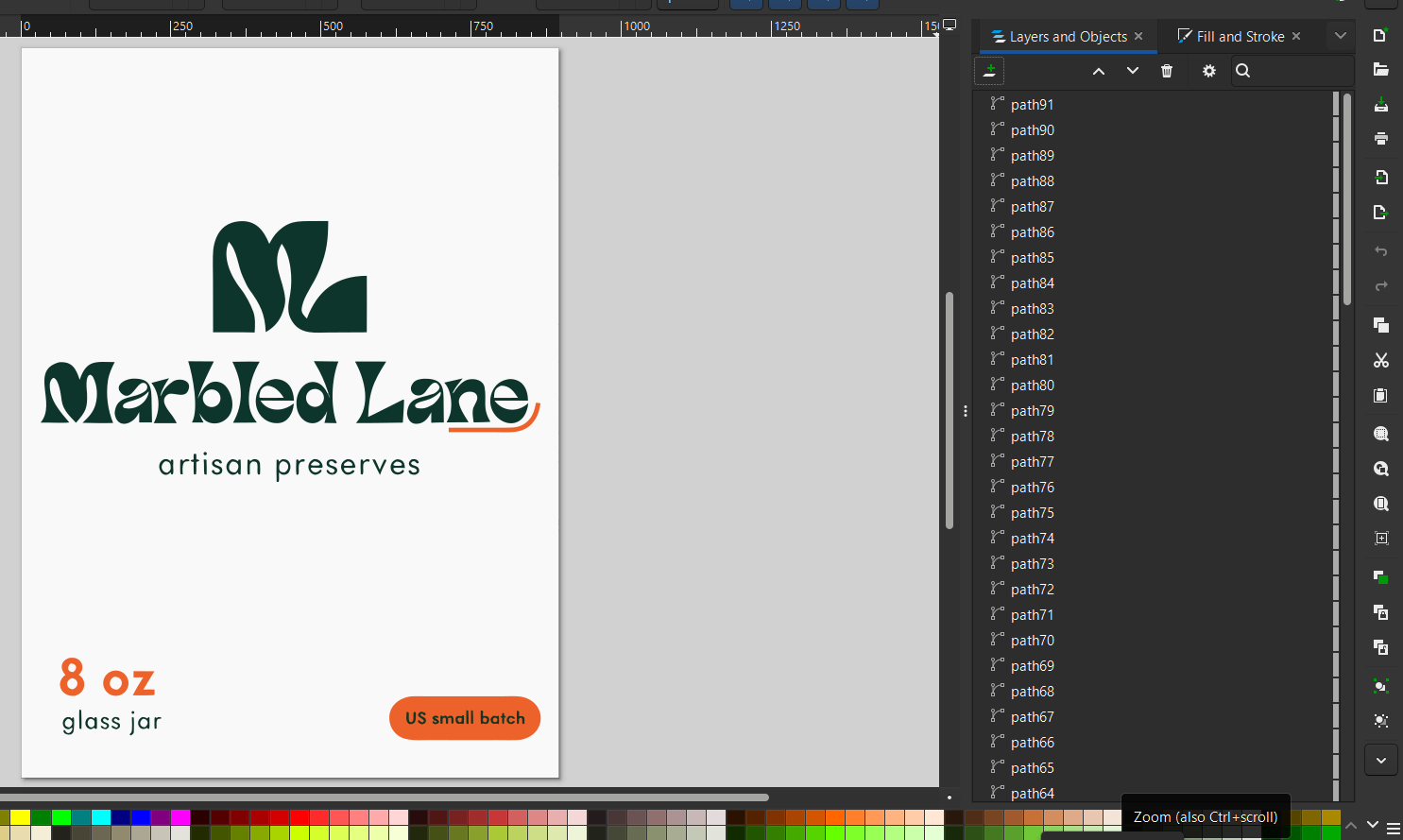
Figure 2Inkscape v1.4.4 inspection of the Direct-mode SVG. Genuine vector paths, no embedded raster.
The vector output opened in Inkscape v1.4.4 without warnings. XML inspection confirmed genuine vector paths with no embedded raster artwork. That distinction matters. Many AI vector tools produce SVGs that are actually raster images wrapped in a vector container. Recraft’s output is a real vector document.
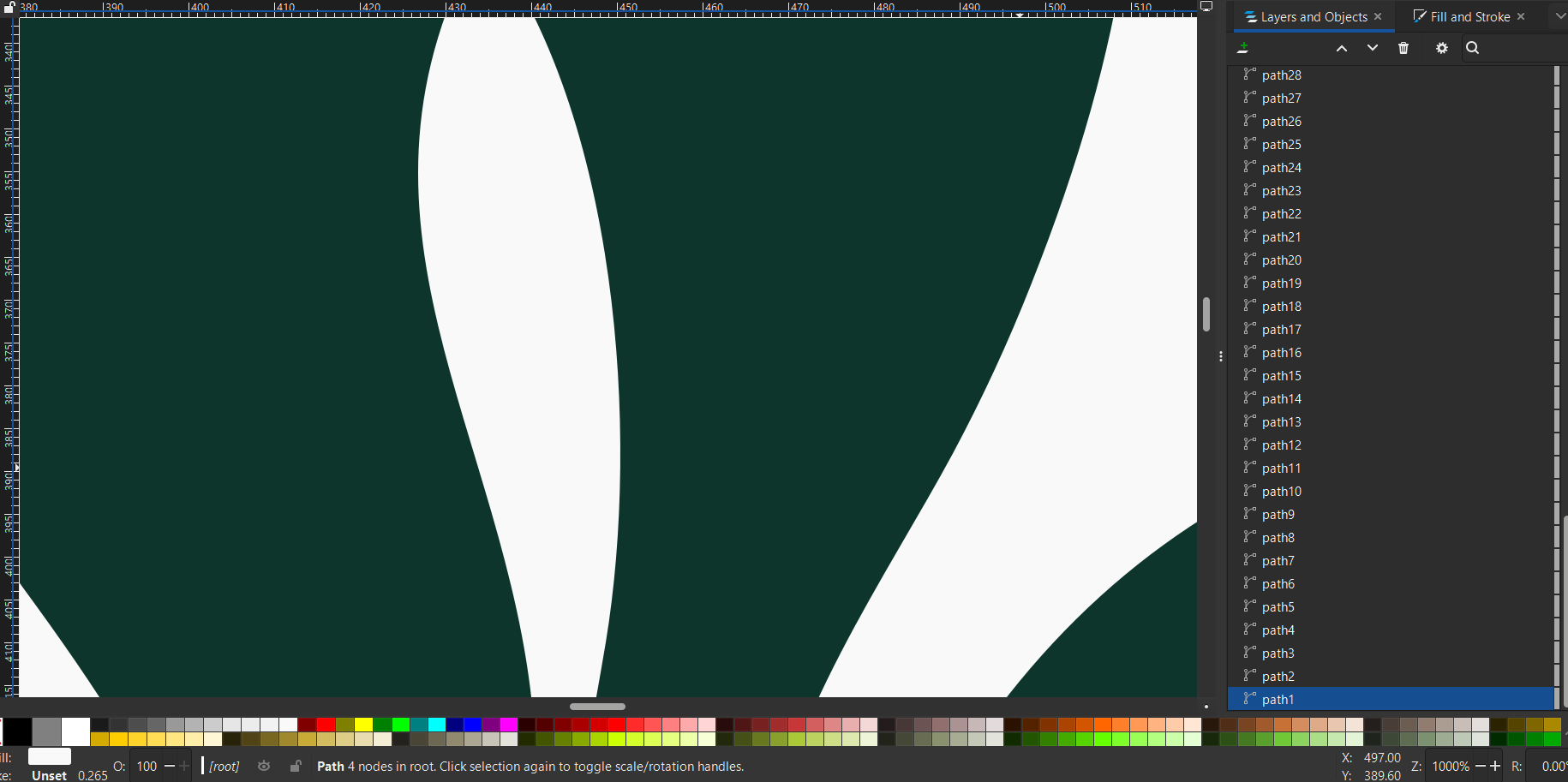
Figure 3Zoom test at 1000% on the ML monogram. Curves stay crisp. Geometry holds at any print size.
Zoom testing at 500% held the curves sharp. At 1000%, still sharp. Scaled to a two-meter banner, the geometry holds. Third-party user reports on Recraft’s own feature-request forum indicate that other outputs have shipped with excessive anchor points requiring cleanup. Our test was clean. Yours may vary. Open the file and inspect it before committing to a design.
The CMYK TIFF
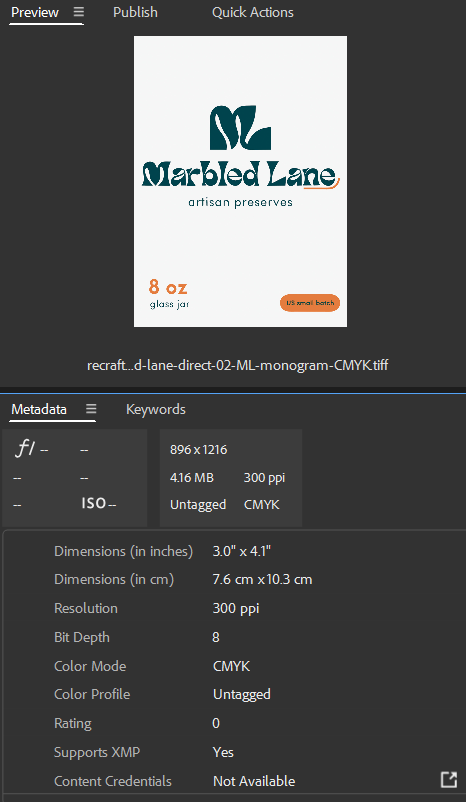
Figure 4Adobe Bridge metadata for the exported TIFF. Color Mode: CMYK. ICC Profile: Untagged.
Testing note
Cross-verified across three applications (Inkscape 1.4.4, Adobe Bridge, Adobe Photoshop). In our testing the CMYK TIFF carried no embedded working-space definition in any of the three applications.
Recraft’s pricing page names CMYK export at 300 ppi as a Basic-tier capability. Both are real. Adobe Bridge confirmed Color Mode CMYK. The finding that matters for a printer: the file ships without an embedded ICC profile. In our testing across three applications (Inkscape, Adobe Bridge, Adobe Photoshop) the CMYK TIFF carried no working-space definition.
A tagged CMYK file names its printing target (US Web Coated SWOP v2, GRACoL, and so on). An untagged file leaves that decision to whoever opens it next. Most commercial print suppliers assign a working profile at prepress in seconds. If you are color-matching against an existing product on shelf, tell your supplier the file is untagged so they assign rather than convert. That single sentence in a handoff email prevents a color surprise on the first print run.
The transparent PNG
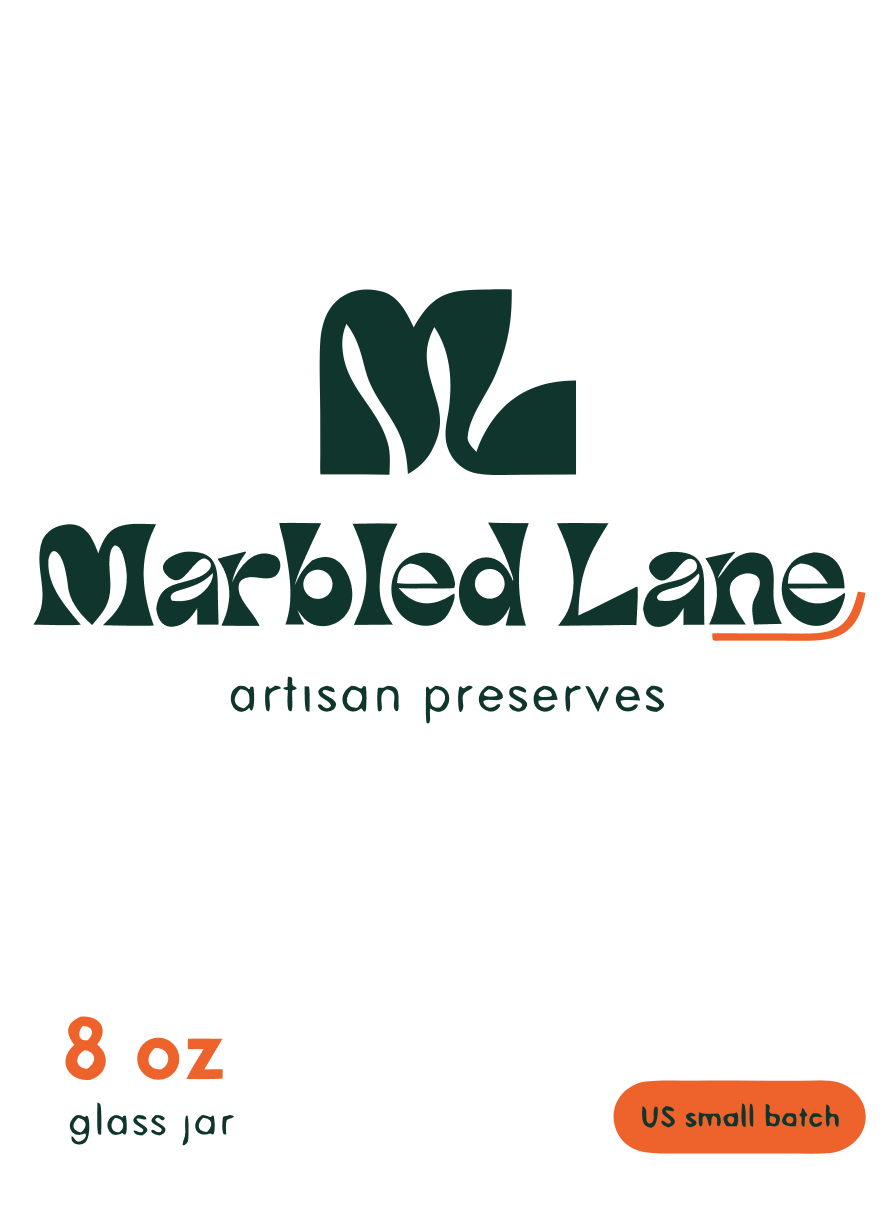
Figure 5Photoshop checkerboard view on the exported PNG. Pixels around the mark are transparent, not white.
Transparent PNG is not a direct generation output at Basic tier. The path: generate the vector, apply Remove background, then export PNG. We tested it. The result is a real alpha-channel transparent file. In Adobe Photoshop’s checkerboard view the pixels around the mark are transparent, not white.
Cost per Remove background action: 5 credits. On the 1,000-credit monthly Basic allowance, that is a rounding error. Recraft’s own documentation notes the action works best on images at 1024 pixels on the smaller side. Our test at 896 by 1216 fell within the reliable range.
At physical label size
The Thumbnail Test is where labels earn or fail their right to be called label-ready. The test: scale the file to 25 mm wide (typical jam-jar face) and check what a customer actually sees at glance distance.
We opened the vector in Photoshop, scaled to 25 mm width, viewed at 15% zoom against a physical ruler placed against the monitor. The Marbled Lane wordmark held. The ML monogram held. The tagline and pill-shape volume marker approached the limit but stayed legible up close.
The design survives thumbnail size because the primary identifiers were generated at label-appropriate scale. If your label design uses smaller supporting text than this one, plan to enlarge it before print.
3. Would we recommend it to a growing brand?
Yes, at Basic tier, for static label work, with two caveats worth naming before you start.
Caveat one. The CMYK file is untagged. Not a blocker. A supplier communication issue. Include one line in your handoff email: “CMYK file is untagged, please assign appropriate working profile at your end.”
Caveat two. Do not use the Change background action on a design where text has been finalized. In our testing across two different designs on two different days, Change background regenerated the entire composition and corrupted every text element. On the first test, “artisan preserves” became “orfican preserves.” On the second, “small batch wildflower honey” became “smell benels is lofteeer honey.” The action also added illustrative elements the brief did not request. Use it early in ideation, not near the end of a project.
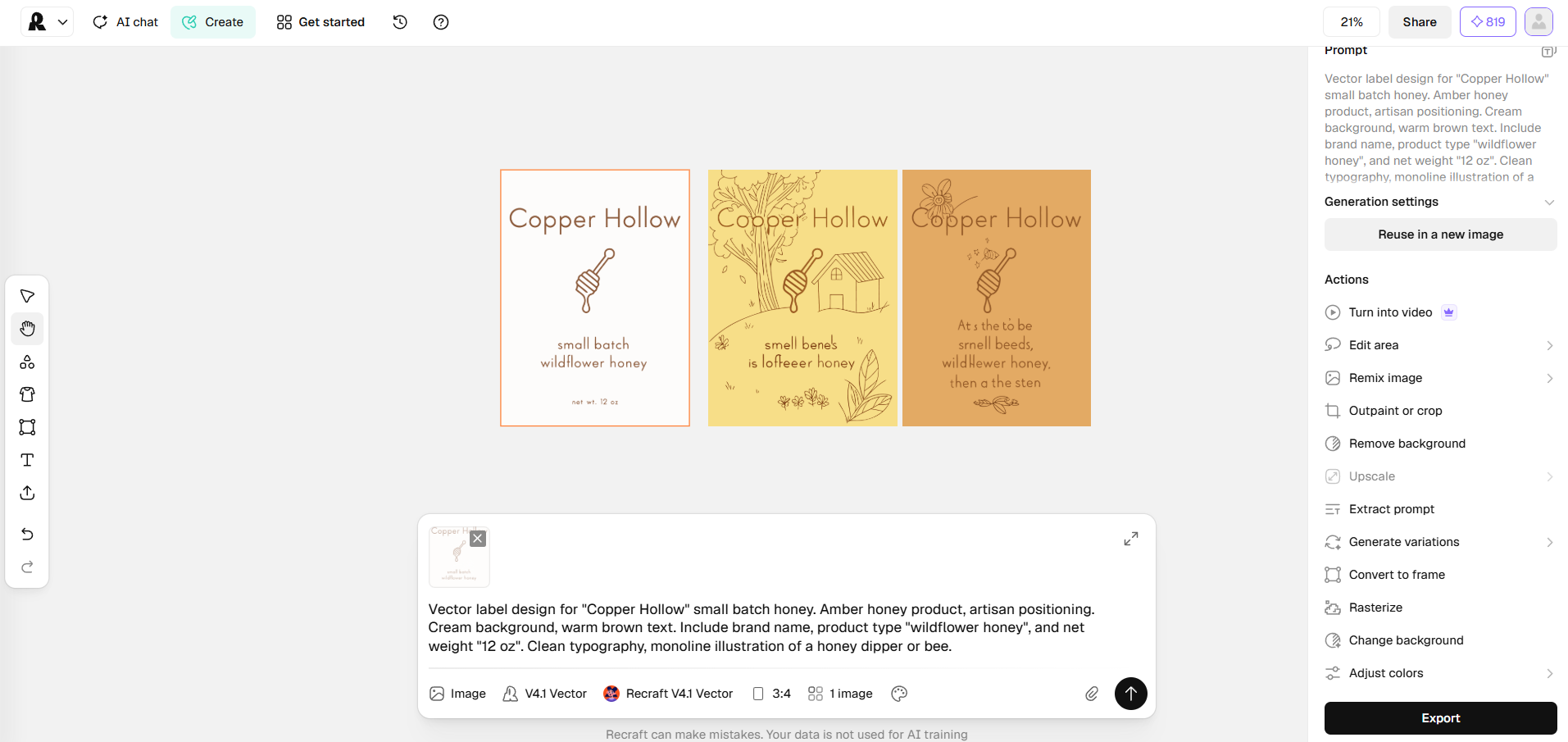
Figure 6Change background test. Baseline design on left. Two regenerated versions on right. Text corrupted on both.
Basic tier is right for
- Small brands producing packaging labels for one to a handful of products
- Teams exploring visual direction and label concepts
- Operators comfortable discussing prepress requirements with their printer
- Anyone budgeting under $20 per month for a packaging design workflow
Basic tier is not right for
- Brands whose supplier requires tagged CMYK files with no additional prepress step
- Workflows that depend on in-canvas editing without full regeneration
- Complex multi-SKU rollouts where a single design gets iterated many times
The Article 8 anchor. For readers who followed the Canva review at Free tier, the paywall pattern there was clear: SVG, transparent PNG, and CMYK PDF all sat behind Canva Pro at $15 per month. Recraft’s $12 Basic tier includes the same three capabilities as native features. The paywall shape is different. We did not test Canva Pro’s actual file behavior and cannot compare on that dimension. We later ran the same brief through Kittl’s template workflow at $15 per month, which approaches the problem from templates rather than generation.
Free tier. Recraft’s Free tier does not grant commercial rights. Generated images are owned by Recraft and publicly visible in a community gallery. Not usable for a brand launch. Basic tier is the entry point for actual work.
Methodology
Recraft was tested using the Marbled Lane preserves label brief at the Basic tier ($12 per month, subscribed 15 July 2026). Testing dates: 15, 16 and 17 July 2026. Test environment: Chrome 149 on Windows 11 25H2. Vector and PDF exports were evaluated primarily in Inkscape v1.4.4, an open-source vector editor. CMYK output was cross-verified in Adobe Bridge and Adobe Photoshop. Findings describe how the exported files parsed in those environments. Where a finding could materially depend on the rendering engine, additional verification was performed or is noted. Full testing evidence, credit logs and file inspections are held in internal records.
Production Reality Check scorecard
Recraft Basic $12/month. Model V4.1 Vector. Tested 15 to 17 July 2026.
Ten-point framework applied consistently across all AI Tools reviews. Recraft Basic scored four Pass, five Pass with note, one Partial, zero Fail. The Partial sits on RGB to CMYK workflow (the untagged file finding above). Full scorecard rationale held in internal review records.
Frequently asked questions
What is the cheapest Recraft tier that includes commercial rights?
Basic at $12 per month, verified 15 July 2026. Annual billing offers a discount. Free tier does not grant commercial rights and images are publicly visible in a community gallery.
Does Recraft export SVG at the Free tier?
No. SVG unlocks at Basic tier and above. Free tier is raster-only.
Can I use Recraft’s CMYK output directly for print?
The CMYK TIFF is a real CMYK file at 300 ppi. In our testing across three applications the file shipped without an embedded ICC color profile. Most commercial print suppliers assign the correct profile at prepress. Include a note in your handoff email. For color-critical work, assign a working profile in Photoshop before you send the file.
Can Recraft generate a transparent PNG directly?
Not as a direct output. Generate the vector, apply Remove background (5 credits), then export as PNG. That produces an alpha-channel transparent file.
Is Recraft’s SVG output clean, or does it need cleanup?
In our test the SVG opened in Inkscape as genuine vector paths with no embedded raster. Third-party user reports indicate output can vary. Inspect your file before committing to a design.
Editorial Independence
Label & Bind purchased the Recraft Basic subscription used in this review at standard consumer pricing. This review was not sponsored, commissioned or reviewed by Recraft. As of the publication date, Label & Bind has no affiliate relationship with Recraft.
Testing Scope
This review reflects hands-on testing of Recraft V4.1 Vector at the Basic tier between 15 and 17 July 2026 using a packaging label workflow. Features unrelated to creating, exporting or preparing packaging artwork for commercial print were intentionally excluded. Product features, pricing and behavior may change over time. This review evaluates Recraft as a packaging production tool. Questions relating to copyright, trademark registration and other intellectual property matters fall outside the scope of this review.
Corrections
If you spot an error or believe we missed something important, contact us at labelandbind [at] gmail [dot] com. We review new evidence and update articles when appropriate. Material corrections are logged with the publication date.